
Coming across from Payaca? The Mucka team does the import for you. Getting your data out of Payaca is the easy part: it's one button, and there's nothing to ask their support for.
Press export
In Payaca, go to Settings → Integrations & data → Data export, or open web.payaca.com/companySettings/integrations-data/data-export while you're logged in.
Click the purple Export account data button.
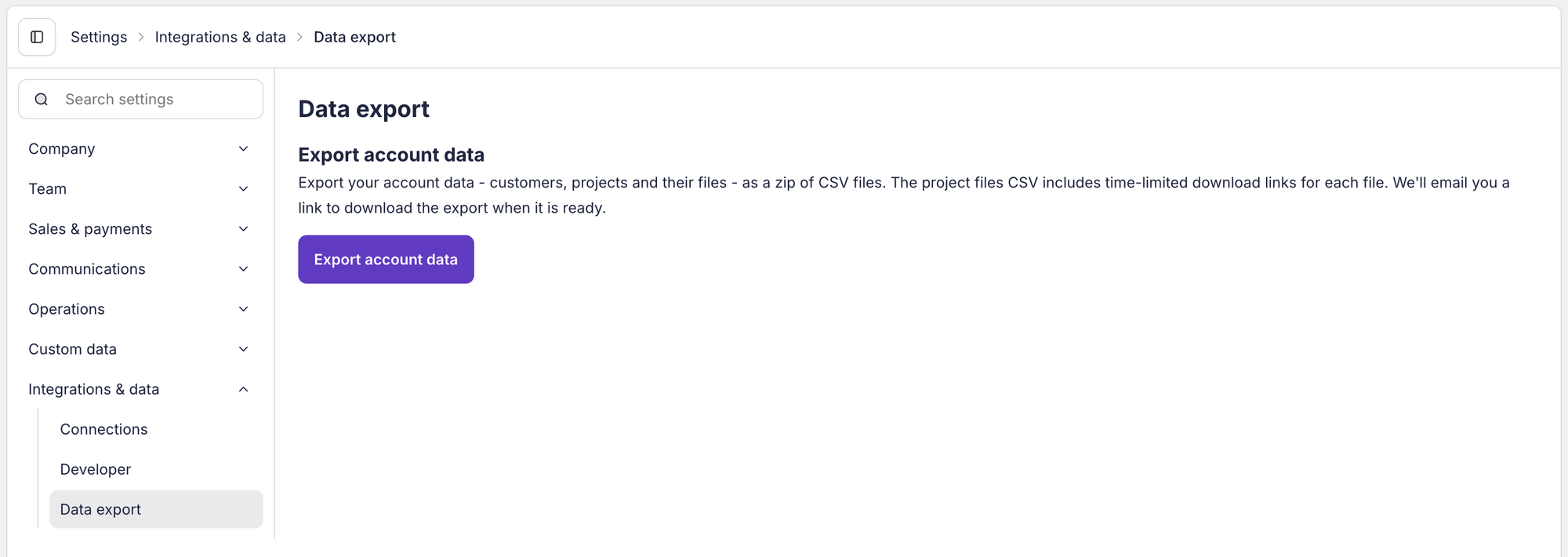
That covers your customers, your projects (jobs, with what each was quoted, invoiced and paid) and every file on them, quotes and invoices included. Payaca puts it together in the background and emails you a link to download it when it's ready.
It doesn't cover your diary, your service reminders or your service plans. There's no export button for those, so ask Payaca for them (see below).
Forward the email to us
When Payaca's email arrives, forward it as it is to support@mucka.ai. There's no need to download it, open it, or tidy anything.
Or open Settings → Support, or tell Mucka "I'm moving from Payaca, here's my export", and paste the download link into the ticket.
Ask Payaca for what the button leaves out
Your diary, your service reminders and your service plans aren't in the export, so ask Payaca for them by email. Here's one that asks for all three:
- To
- hey@payaca.com
- Subject
- Request for the parts of my data the export doesn't include
Hi,

I'm moving my business to another system. I've used the Export account data button, which covers my customers, projects and files. Could you also send me the things it doesn't include:

1. My diary: every visit on the Schedule, past and booked, with its date, time, address, customer and engineer.

2. My service reminders, with each one's customer, address and due date.

3. My service plans, and who is on each one, with their start date and how much they pay.

A spreadsheet is perfect.

My account is [your business name], and I log in with [the email address you use for Payaca].

Thanks,
[your name]
Connected your email to Mucka’s Inbox? The last button opens it ready to send, so you can read it through and press Send yourself.
If Payaca can't send the diary, don't worry: we'll go through your upcoming visits from the Schedule with you instead.
Do it the day you're ready
The links to your files stop working seven days after you press the button. Payaca's export doesn't hold your quote and invoice documents themselves, only time-limited links to them. Once a week has passed we can still bring your customers and jobs across, but not the paperwork.
So press export when you're ready to send it to us, not weeks ahead, and forward the email the same day it lands. If a week has gone by, just press the button again for a fresh one.
Before you cancel
Don't cancel your Payaca subscription until we've told you we've got everything. The export button goes when the account does, and so does any chance of a fresh set of links. So do your diary and your service plans, which only exist on Payaca's screens.
Four things to know about what comes across, so you're not caught out:
- Your diary isn't in the export. We'll ask you for your upcoming visits from Payaca's Schedule, so booked work lands on the right day and time. A job we can't date from your diary is dated from when the work was accepted, or left undated if it was booked, and it says which on the job.
- Neither are your service reminders. We work them out from the services you've done: each one is due a year after the last service, and it says so. Check the dates the first time you look, and move any that are wrong.
- Your certificates come across. Every form you filled in inside Payaca lands on its job as the PDF. Gas safety records, warning notices, heat pump and boiler service records and unvented cylinder records also go into Certificates, against the property, with the date printed on them and the renewal date the engineer signed. A renewal that's the same visit as one of your service reminders goes with that reminder, so you aren't reminded twice. Repair and plumbing completion certificates and heat pump commissioning checklists have no matching Mucka certificate, so they stay on their jobs, and so does any form that was left blank in Payaca. If you keep certificates anywhere else, tell us before you cancel.
- Your service plan customers keep paying Payaca for now. Payaca's export doesn't include your plans or who's on them, and a customer's Direct Debit can't be moved from one system to another, so each one has to set it up again in Mucka. Leave Payaca running for them until we've moved them across with you, or they'll go a month without paying, or pay twice.
Once you've sent the export, start using Mucka straight away. When we import, we add to what's there, and you won't end up with two of anybody.